The Address Is the Problem: Diagnosing CGNAT, Double NAT and IPv6 Drift on UK Full-Fibre
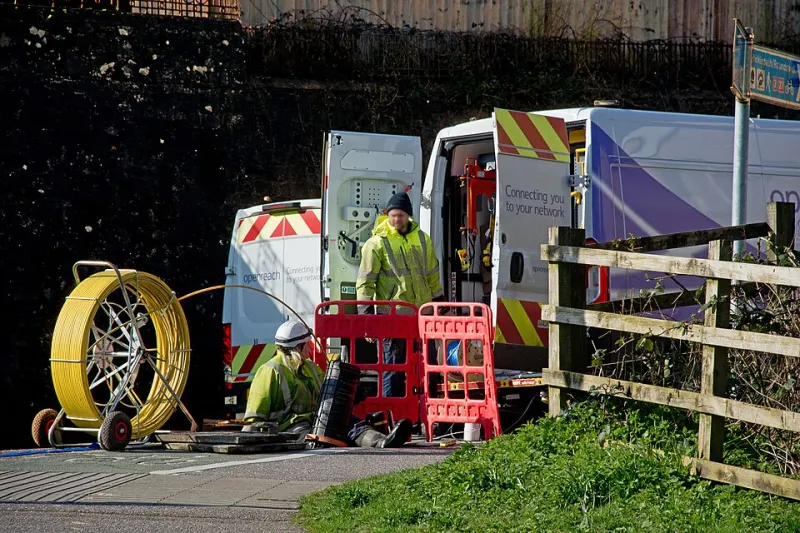
Photo: Roger A Smith , CC BY-SA 2.0, via Wikimedia Commons
Full-fibre has become the standard UK broadband story: fibre to the premises, gigabit-class speeds and a reassuringly modern router. None of that guarantees a clean network edge. An increasing number of UK connections, particularly from alternative network providers and some business tariffs, place customers behind carrier-grade NAT. Others still ship an ISP router that cannot be bridged, producing double NAT. IPv6 may be present but inconsistent across VLANs and devices. The symptoms often arrive together, which is why admins waste time changing the wrong setting.
Three failures, not one
CGNAT means the ISP shares one public IPv4 address among many customers. Your router receives an address from the 100.64.0.0/10 range or, less commonly, a private RFC 1918 address. Inbound connections cannot reach you unless the ISP maps ports, which most consumer products do not. Outbound browsing works normally, so the problem is easy to miss until you need port forwarding, a VPN server, CCTV access or a hosted PBX.
Double NAT is different: your own router sits behind the ISP router, and both perform NAT. The ISP router may be in router mode because bridge mode is unavailable or because the support script did not enable it. Port forwarding on the inner router then fails unless the outer router also forwards the same ports.
IPv6 drift is a third issue. The line may have IPv6, but the router may not request a prefix delegation, may hand out only a /64, or may not firewall it correctly. Some devices obtain global addresses and others do not. A connection can therefore look modern on a speed test and still be awkward for a lab.
Symptoms that narrow the field
If outbound traffic is fine and every inbound test fails, suspect CGNAT or double NAT before firewall rules. If the router WAN address is private and the external IP check returns something else, there is at least one NAT layer you do not control. If a traceroute shows a 100.64 address before the public internet, CGNAT is likely. If it shows two private gateways, double NAT is likely.
IPv6 problems look different. A device may have only a link-local fe80 address, or a global address that cannot reach the internet. Some VLANs may work while the guest network does not. The router status page may show an IPv6 address but no delegated prefix. VoIP adds its own confusion: one-way audio and failed registrations can be SIP ALG, firewall behaviour or NAT, not necessarily CGNAT.
Command-line checks before changing anything
Start from a wired client, not a phone. On Windows, ipconfig /all shows the default gateway and IPv6 addresses. On Linux, ip addr and ip -6 route are quicker. Compare the router WAN IPv4 address with the address returned by curl -4 https://ifconfig.me. If the router shows 100.64.x.x and the service returns a public address, you are behind CGNAT.
Use tracert -d 1.1.1.1 on Windows or mtr -4 -r -c 10 1.1.1.1 on Linux. A first hop in 100.64.0.0/10 points to carrier NAT. Two private hops point to double NAT. Do not read too much into a single trace; some ISPs filter ICMP, so repeat the test and check the router logs.
For IPv6, confirm that the client has a global address in 2000::/3, not just fe80. Run ping -6 2606:4700:4700::1111 and curl -6 https://ifconfig.co. On the router, note the WAN IPv6 address, the delegated prefix length and the LAN prefix. A /64 is fine for a single flat LAN but restrictive for multiple VLANs. If the ISP delegates a /56, the router should be able to carve /64s for each network. If it delegates nothing, client addresses may be temporary or missing.
CGNAT: shared address, limited options
CGNAT is not a fault. It is a conservation measure, and for many households it is invisible. For a home lab it is a constraint. You cannot make an inbound port forward work by adding a rule to your own router, because the public address is not yours and the ISP is not forwarding that port to you.
Practical workarounds include an outbound tunnel to a small VPS, Tailscale or WireGuard for private access, and Cloudflare Tunnel for HTTP services. These do not restore a public IPv4 address, but they solve remote access without exposing the lab. For VoIP, a hosted PBX that registers outbound is usually simpler than trying to host Asterisk behind CGNAT. Disable SIP ALG on the router; it often does more harm than good.
If you need inbound TCP or UDP on arbitrary ports, ask the ISP for a static public IPv4 address. Many business tariffs offer one; some consumer tariffs do not. Confirm whether the address is genuinely routed to your router or merely presented by the ISP gateway.
Double NAT: bridge mode is the fix
Double NAT is usually a configuration problem. The correct solution is modem-only or bridge mode on the ISP router, with your own router handling PPPoE or DHCP as required. If bridge mode is unavailable, a DMZ on the ISP router pointed at your router is a compromise. It removes one layer of port forwarding but does not give you a clean routed edge, and it exposes your router to the ISP-facing network.
Avoid stacking port forwards unless you document them. A common failure is a forward on the inner router with no matching rule on the outer router, followed by hours of firewall debugging. Check the WAN address on both devices and trace the path before changing rules.
IPv6: consistency matters more than presence
IPv6 is not automatically better if it is inconsistent. Check prefix delegation, router advertisements and firewall rules. A router that hands out global addresses but blocks inbound ICMPv6 can break path MTU discovery. A lab with multiple VLANs needs a prefix large enough to allocate a /64 per segment. If the ISP will not delegate a prefix, IPv6 may be best disabled on the lab VLANs rather than left half-working.
Questions to put to the ISP
Ask whether the product uses CGNAT, whether a static IPv4 address is available, and whether modem-only or bridge mode is supported. Ask what IPv6 prefix is delegated and whether it is stable. Ask whether SIP ALG is enabled by default. Keep the answers in your network documentation; they will save time when the next service change arrives.
Full-fibre is a good foundation, but the address plan and the router chain still decide what you can host. Diagnose the layer before you blame the line.