Names You Own: Running a Local Resolver Without Losing the Internet When It Fails
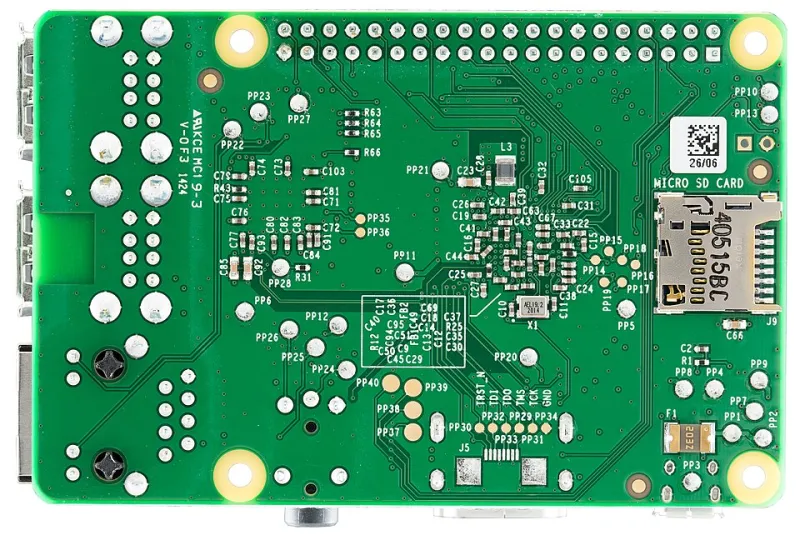
Photo: Lucasbosch, CC BY-SA 3.0, via Wikimedia Commons
There is a particular kind of outage that only people who run their own resolver experience: the network is up, the router is up, the broadband is up, and nothing resolves. It is entirely self-inflicted, and it is the reason many admins who would happily run their own mail server still point every device at the ISP's nameservers. The argument for taking DNS back is strong. The argument for doing it carelessly is nonexistent.
The default is somebody else's decision
When a device joins a typical UK home or small-office network, it receives a resolver address in its DHCP lease and rarely thinks about it again. That address is usually the ISP's, and the ISP's resolver is usually fine: anycast, well cached, low latency. What it is not is yours. Every name looked up on the network is visible to the provider in plaintext, and plaintext queries are the raw material for traffic classification, blocking policy and, historically, NXDOMAIN redirection toward a search page that nobody asked for. Some providers have quietly retired the redirect; others have replaced it with filtering, which is a different feature with the same property: someone else decides what a name means.
The performance argument is real but modest. A local cache saves a few milliseconds on repeat lookups and a good deal more on a busy network with many clients hitting the same handful of domains. The control argument is the one that matters. A resolver you run is where internal names live, where policy is applied consistently to every device, and where you can see what your own network is actually asking for.
Split horizon: the same name, two answers
The most useful thing a local resolver does has nothing to do with the public internet. Split-horizon DNS means answering the same question differently depending on who asks. Inside the network, nas.example.co.uk resolves to a private address; outside, the same name resolves to whatever the public record says, or to nothing at all. That single capability removes a whole class of awkward workarounds: hairpin NAT for internal clients, hosts-file edits, and the slow accumulation of remembered IP addresses that break whenever a lease changes.
Name it properly while you are there. The reserved zone home.arpa, specified for exactly this purpose, is a better home for a domestic lab than local, which belongs to multicast DNS and will collide with printers, speakers and Apple devices in ways that are tedious to diagnose. A registered domain you control is better still, because it gives you a certificate authority path for internal TLS later. Windows environments want conditional forwarding rather than duplication: let the domain controller own its zone, and point the main resolver at it for that suffix only.
The implementation choice is unglamorous. A small appliance running a forwarding resolver with a local zone file will do; so will a modest virtual machine on the lab hypervisor. What matters is that the zone data is version-controlled and the service restarts cleanly, because a resolver that needs hand-editing to change an A record is a resolver that will drift.
DoH, DoT and what encryption does not fix
On the upstream side, the choice is between DNS over TLS on port 853 and DNS over HTTPS on port 443. Both encrypt the query and the response between your resolver and the upstream, and both defeat casual observation on the path. For a network resolver, DoT is generally the cleaner fit: it is a dedicated protocol, easy to allow through a firewall, and straightforward to monitor. DoH exists largely to look like web traffic, which is an advantage on hostile networks and a nuisance on your own, where the whole point is knowing what leaves the building.
Neither protocol hides the name of the server you are connecting to from a determined observer unless encrypted client hello is in play, and neither stops the ISP from seeing which IP addresses you subsequently connect to. Encryption moves the trust from the path to the provider you selected. That is a worthwhile trade, but it is a trade, and choosing a provider with a published retention policy and independent DNS-level filtering is part of the decision.
DNSSEC is a separate matter and worth understanding rather than enabling blindly. It signs records so a validating resolver can prove they were not tampered with in transit. Validation at your own resolver is where it belongs; transport encryption protects the conversation, DNSSEC protects the answer. The practical cost is that a misconfigured zone upstream becomes an outage you cannot fix, so treat validation failures as logged events first and blocking events second.
Failure modes worth designing around
A resolver is a single point of failure that takes the whole network's perception of the internet with it. Two things follow. First, hand out two resolver addresses in DHCP, ideally on separate hardware, and make the secondary a genuine independent instance rather than a container on the same host. Second, keep a fallback that does not depend on your own infrastructure: the router's built-in forwarder, configured and tested, with clients able to reach it if the primary pair dies.
Browsers introduce their own complication. Firefox, Chrome and Edge will happily switch to their own encrypted resolver when they decide the system resolver is inadequate, which silently bypasses filtering and split-horizon answers. If internal names matter, disable automatic DoH centrally: the use-application-dns.net canary domain works for Firefox, and enterprise policies cover the Chromium family.
Other hazards are mundane and predictable. Captive portals break under DoH and under validation, so keep a documented workaround. DNSSEC validation depends on an accurate clock, so make sure your resolver has working time synchronisation before you blame the signatures. A resolver on a Raspberry Pi with a failing SD card will fail at the least convenient moment, which is an argument for a small SSD or a read-only root filesystem. And keep the management interface reachable by IP address, with bookmarks saved accordingly, because the day you need to fix DNS is the day you cannot look up its hostname.
The build itself takes an afternoon. The health check, the second instance and the written note explaining which address to point a laptop at when everything else is broken take slightly longer, and they are the part that makes owning your resolver an improvement rather than a hobby.