Copper Already in the Wall: A Measured Path to 2.5GbE in a UK Home Lab
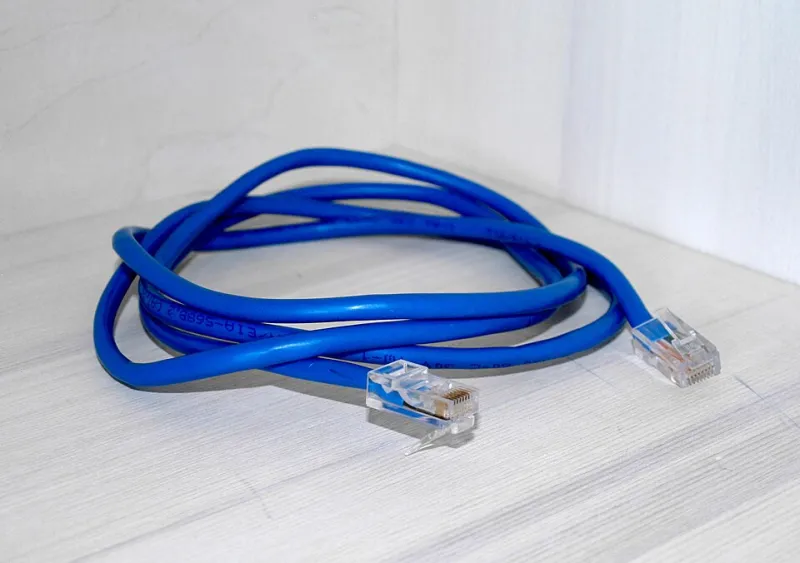
Photo: Santeri Viinamäki, CC BY-SA 4.0, via Wikimedia Commons
2.5GbE has become the pragmatic upgrade for UK home labs that have outgrown Gigabit but cannot justify a full 10G rebuild. The usual question is whether the Cat5e already buried in the walls can carry it. In most cases it can, but the cable is rarely the limiting factor. The real work lies in measuring each run, understanding where the actual bottlenecks sit, and choosing equipment that suits a spare room rather than a data centre.
What Cat5e Was Always Meant to Carry
The IEEE 802.3bz standard defines 2.5GBASE-T and 5GBASE-T specifically to extend multi-gigabit Ethernet over existing copper. 2.5GBASE-T is designed to operate over Cat5e at up to 100 metres, and 5GBASE-T over Cat5e at up to 100 metres with appropriate conditions; 10GBASE-T is nominally a Cat6/Cat6a proposition at that distance, although many short Cat5e runs will negotiate 10G in practice. That last point matters in UK homes, where a run from a hallway cupboard to a first-floor study is often 15 to 25 metres rather than 90.
The caveats are physical rather than theoretical. Cable quality varies, and so does installation. A Cat5e run that was stapled tight around a corner, run alongside mains cable for several metres, or terminated with a cheap plastic plug may not deliver the same result as a neatly installed run. Alien crosstalk becomes more relevant when cables are bundled together, and PoE heating can affect margins on long runs. None of this rules out 2.5G, but it does mean that assumption is a poor substitute for a test.
The Bottlenecks Are Rarely the Cable
A common mistake is to buy a 2.5G switch and expect the whole network to speed up. In a typical UK home lab, the switch is one link in a chain that includes the ISP router, access points, the NAS, and the client devices. Each has its own ceiling.
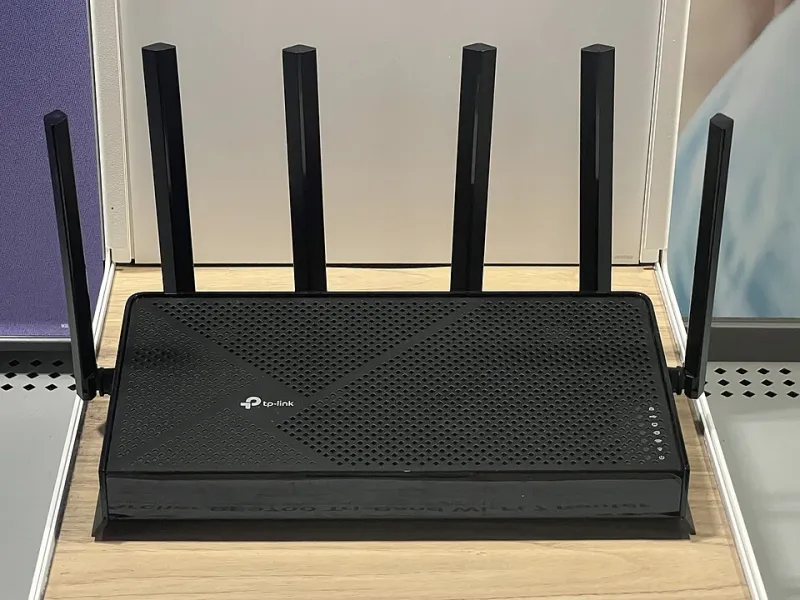
ISP routers are the first constraint. Many UK ISP-supplied routers still expose Gigabit LAN ports even when the WAN side supports multi-gigabit. If the router performs inter-VLAN routing or NAT for local traffic, it can become the bottleneck before the switch does. A 2.5G switch behind a 1G router will accelerate device-to-device traffic on that switch, but not traffic that has to pass through the router. For labs that rely on a router-on-a-stick topology, this is worth measuring before spending money.
Access points are the second. Wi-Fi 6 and Wi-Fi 7 access points increasingly ship with 2.5GbE uplinks, and for good reason: a single 6GHz radio can exceed Gigabit aggregate throughput in the right conditions. If the AP is limited to a 1G uplink, the wireless side may be constrained by the wired side. That said, real-world throughput depends on airtime, channel width, and client density. A 2.5G uplink is sensible for a busy lab; it is not a guarantee of faster downloads.
The NAS is the third. A single 3.5-inch SATA hard drive typically delivers 150 to 250 MB/s sequentially, which is roughly 1.2 to 2 Gbps. A 2.5GbE link offers about 295 MB/s theoretical and perhaps 230 to 240 MB/s in practice, so a single spinning disk will not saturate it. To benefit, the NAS needs an SSD cache, an all-flash pool, or enough drives in parallel to exceed Gigabit. The NAS CPU and SMB implementation matter too; a low-power processor can cap throughput well below the network link.
Finally, switch fan noise deserves more attention than it usually gets. Many eight-port 2.5G switches are fanless, which suits a home office. Larger 10G switches often have fans that are audible in a quiet room. If the lab lives in a spare bedroom or under a desk, a fanless 2.5G switch with a 10G SFP+ uplink is often a better compromise than a noisy 10G unit.
Testing Runs Before Buying Hardware
The most useful purchase before any switch is a pair of cheap 2.5G USB adapters and a copy of iperf3. Used between two laptops on the same run, they provide a rough throughput figure and, more importantly, reveal instability. A run that negotiates 2.5G but produces CRC errors or retransmits is not a run to trust. Check the negotiated link speed at both ends — ethtool on Linux, the switch UI, or the LED colour on the port — and look at error counters after a sustained transfer.
A basic cable tester with length measurement is helpful for identifying damaged pairs and rough run length, but it is not a certification tool. For a home lab, the practical test is sustained throughput with real traffic and a check for errors. Test each run individually, label both ends, and note the length. If a run fails, do not assume the cable is beyond use until you have reterminated the plugs and checked the patch leads. A surprising number of failures are at the connectors rather than in the wall.
Choosing Between 2.5G and 10G
2.5G is the sensible default for access ports. It is cheaper, cooler, and usually fanless, and it matches the realistic ceiling of most home-lab storage and Wi-Fi. 10G makes sense for a backbone between a switch and a NAS, or between servers in the same rack, where short DAC cables avoid the cost and heat of 10GBASE-T. A mixed approach works well: a fanless 2.5G switch with one or two 10G SFP+ uplinks provides headroom without turning the room into a server closet.
Consider the wider UK context. Full-fibre altnets now offer multi-gigabit packages in many areas, and Wi-Fi 7 access points are becoming more common. A 2.5G LAN is a reasonable match for a 1–2 Gbps internet connection and a Wi-Fi 7 AP, while 10G is better reserved for storage-heavy workloads.
Working With Older UK Properties
Victorian terraces and older brick-built homes rarely have conduit, and chasing walls is expensive and messy. The good news is that 2.5G rarely requires new cable. Where a run exists but is marginal, reterminating with better plugs or replacing a short patch section can be enough. Where a new run is unavoidable, surface trunking, skirting-level conduit, and roof-space routes are usually preferable to structural work.
Avoid powerline adapters for lab traffic; they are convenient but unpredictable. If a run is truly unusable, consider a short fibre link through existing conduit rather than a full recable. In most UK homes, the distances are short enough that Cat5e remains viable for 2.5G, and often for 10G over the shortest runs.
A Sensible Upgrade Sequence
Start by mapping and testing the existing runs. Identify the actual bottleneck: internet, LAN, NAS, or Wi-Fi. Buy a fanless 2.5G switch with a 10G uplink if the budget allows, then upgrade the access point uplink and the NAS NIC. Address the router only if measurements show it is the constraint. Measure again after each change, and keep a note of negotiated speeds and error counts.
The 2.5Gbps forced march is less about cable than about evidence. In a typical UK home lab, the Cat5e already in the wall will carry 2.5G more often than not. The worthwhile investment is in testing, in fanless switching, and in knowing which link in the chain is actually holding the network back.