The Sixth-GHz Decision: Separating Wi-Fi 7 Signal from Noise in a UK Lab
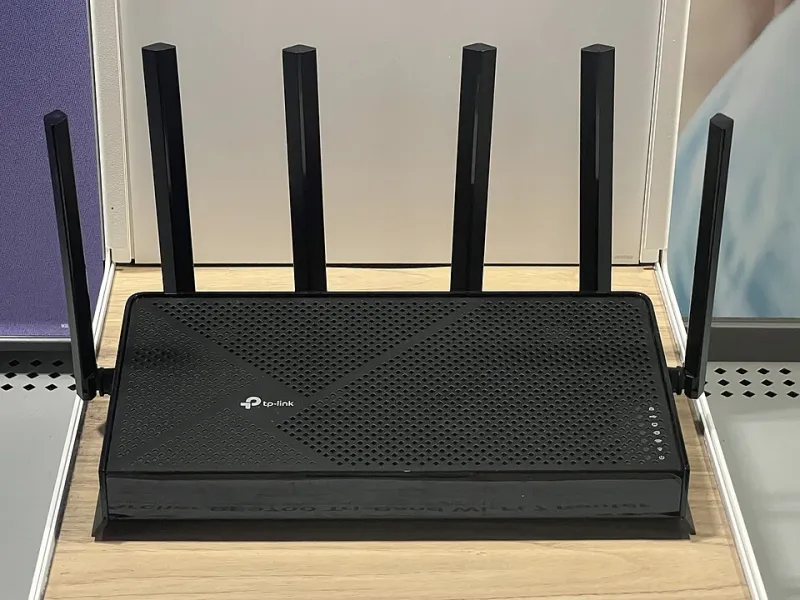
Photo: TaurusEmerald, CC BY-SA 4.0, via Wikimedia Commons
Wi-Fi 7 has spent enough time in the channel to stop being novel. In 2026, UK buyers can choose from a wide range of access points, mesh kits and consumer routers, all promising multi-gigabit figures and lower latency. For a home lab or small office, the useful question is narrower: does Wi-Fi 7 remove a bottleneck that actually exists, or does it merely move the bottleneck somewhere less visible?
The answer depends less on the standard than on the room, the clients and the wired core behind the access point. A lab filled with Proxmox nodes, a NAS and a handful of laptops does not automatically benefit from a new radio. It benefits when wireless is the constraint, when client devices support the new bands, and when the access point has a clean path back to the network.
What Ofcom actually permits in the UK
The UK's 6 GHz story is often summarised badly. Ofcom has made the lower 6 GHz band, 5925–6425 MHz, available for low-power indoor use. That gives planners 500 MHz of additional spectrum, which is meaningful but not unlimited. It is not the same as the full 6 GHz range discussed in other markets, and the upper 6 GHz band remains a separate policy question rather than a safe design assumption.
In practice, UK Wi-Fi 7 deployments should expect 6 GHz to behave like a clean, short-range band. It avoids much of the congestion found at 2.4 GHz and 5 GHz, but it penetrates walls less readily. A single access point in a hallway may cover a flat well; it will not reliably cover a Victorian terrace with thick internal walls and a rear extension. The band rewards sensible placement and wired backhaul.
Channel width is another area where marketing outruns reality. The UK's lower band can support wide channels, but 320 MHz operation is not a realistic planning assumption for most premises. Administrators should think in terms of 80 MHz and, where the environment allows, 160 MHz, while accepting that wider channels reduce the number of non-overlapping options and increase sensitivity to interference. The correct width is the one that survives a site survey, not the one on the box.
Buyers should also check that equipment is intended for the UK market and marked appropriately. Imported hardware designed around different 6 GHz rules may not behave as expected, and firmware region settings are not a substitute for compliant equipment.
The features that matter after the datasheet
Wi-Fi 7's headline features are multi-link operation, 4096-QAM and preamble puncturing. Each has a real use, but none is a general-purpose upgrade switch.
Multi-link operation can improve reliability and latency by allowing a client and access point to use more than one link. It is most interesting when a device supports it properly and when the access point is not already saturated. On a mixed network, many clients will remain single-link, and the benefit will be uneven.
4096-QAM increases throughput at very good signal levels. It is a short-range improvement, not a remedy for a weak link. Preamble puncturing helps the access point use spectrum around interference, which is useful in congested 5 GHz environments. It does not create clean spectrum where none exists.
The most important feature for a lab is often the least exciting: a wired backhaul. A Wi-Fi 7 access point connected by 2.5GbE or 10GbE to the core switch can deliver meaningful local throughput. A Wi-Fi 7 mesh node using a wireless backhaul may simply move the bottleneck into the air. For a home lab, wire the access point if at all possible; treat wireless backhaul as a compromise for rooms where cabling is genuinely impossible.
Where a lab actually feels the difference
A home lab tends to generate three kinds of wireless traffic: internet access, local file transfer and latency-sensitive interactive work. Internet access is usually limited by the WAN, not the radio. If a UK full-fibre service delivers 900 Mbps down and 900 Mbps up, a Wi-Fi 6 access point that achieves 500–700 Mbps locally is unlikely to be the reason a download feels slow. Replacing it with Wi-Fi 7 may improve the number in a speed test without improving the experience.
Local file transfer is more interesting, but only if the client and server can use the extra capacity. A laptop backing up to a NAS over Wi-Fi may benefit from 6 GHz and wider channels, provided the NAS and access point are not constrained by gigabit Ethernet. Virtual machine images, large photo libraries and local backups are reasonable workloads to test. Bulk data that can be moved by cable should still be moved by cable.
Latency-sensitive work is where Wi-Fi 7's reliability features may matter more than raw throughput. Video calls, remote desktop sessions and interactive development environments suffer when the wireless link is congested or retrying. A clean 6 GHz link can help, especially in flats and shared houses where 5 GHz is crowded. But the same result can often be achieved by changing channels, reducing channel width, or adding a second access point with a wired backhaul.
Client compatibility is the limiting factor. Many laptops and phones sold in the UK still use 2×2 Wi-Fi 6 or Wi-Fi 6E radios. Older devices, IoT equipment and printers will not see 6 GHz at all. A lab that upgrades the access point but not the clients has bought headroom, not performance. That is not necessarily wrong, but it should be a deliberate decision.
A test plan before spending
Before replacing a working access point, measure the current network. Use iperf3 between a wireless client and a wired server on the same LAN. Record throughput at the desk, in the room next door and at the furthest useful point. Run a latency test under load, not just an idle ping. Note the channel width, the band and the client's negotiated rate. Repeat the test at different times of day.
Then borrow or buy one Wi-Fi 7 access point from a supplier with a return window. Configure it with the same SSID and security settings, place it in the proposed location and repeat the tests with the same clients. Compare 5 GHz at 80 MHz with 6 GHz at 80 MHz and, if the environment allows, 160 MHz. Check roaming behaviour if there is more than one access point. Look for stability over a week, not a single speed-test screenshot.
The Daranet view is that this kind of testing is more valuable than a specification comparison. A lab is a system: switch, router, access point, client and workload. Wi-Fi 7 is one component. If the wired core is gigabit and the WAN is the real limit, a new radio will not change the user experience.
The verdict for UK labs in 2026
Wi-Fi 7 is worth considering when a lab is building a new wireless layer, when 5 GHz is genuinely congested, when clients support 6 GHz, and when the access point can be wired to the core. It is also reasonable for small offices that need reliable wireless backhaul in spaces where cabling is difficult, provided the limitations of the UK's lower 6 GHz band are understood.
It is less compelling when existing Wi-Fi 6 access points already meet the workload, when most clients are older, or when the apparent problem is actually the broadband service. In those cases, the better spend is often a second wired access point, a channel plan, or a faster uplink. The sixth-GHz decision should be made by measurement, not by the number on the datasheet.