Upstream Is the New Downstream: Redesigning a UK Home Lab Around Symmetric FTTP

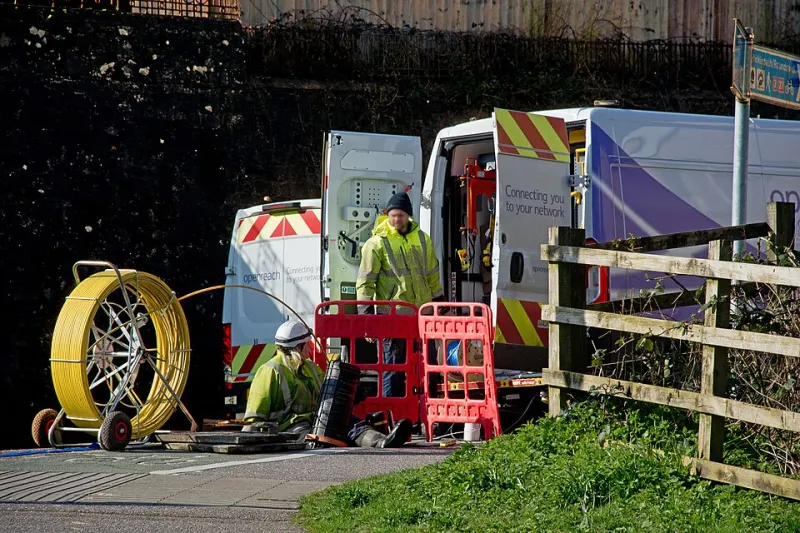
Photo: Kim Dornic (IFREMER, Pôle média & web, Centre Bretagne - ZI de la Pointe du Diable - CS 10070 - 29280 Plouzané) Kim Dornic (IFREMER, Pôle média & web, Centre Bretagne - ZI de la Pointe du Diable - CS 10070 - 29280 Plouzané), CC BY 4.0, via Wikimed
The asymmetry tax nobody renegotiated
For two decades, upstream capacity on a UK domestic line was something you worked around rather than planned with. FTTC settled at roughly 80/20 for most cabinets, cable offered several hundred megabits downstream and a few tens back, and an entire discipline of home lab architecture grew up around that scarcity: push the off-site backup into a two o'clock window, tunnel everything through a cheap VPS because you had no usable public address, and quietly conclude that hosting anything for other people was somebody else's problem.
Full fibre changed the arithmetic. Openreach's symmetric wholesale tiers, and the altnets arriving in more and more exchanges with 1 Gb/s and 2.5 Gb/s in both directions, remove the constraint that shaped most of that thinking. What has not changed is the architecture in a great many labs, where replication schedules, VPN designs and traffic shaping are still calibrated for an upload ceiling that disappeared the day the ONT went on the wall.
The task here is not to sell you a faster line. You may already have one. It is to notice which parts of your lab are still built for 20 Mb/s and to rebuild them deliberately.
Read the claim before you redesign around it
Symmetric is a marketing word with at least three meanings. It can mean a genuinely identical wholesale product, an asymmetric tier with a generous upstream allowance, or a headline figure that only holds for the first few hundred megabytes.
Three checks are worth doing before anything else. First, find the minimum guaranteed speed in your contract, not the average - Ofcom's code of practice entitles you to a realistic figure and a remedy if the line consistently misses it. Second, subtract protocol overhead: a 1 Gb/s tier typically yields around 940 Mb/s of TCP throughput once PPPoE and Ethernet framing are accounted for, and a tier advertised as 2 Gb might be provisioned at 1800/1200. Third, understand the access technology. XGS-PON splits a shared 10 Gb/s downstream and 2.5 Gb/s upstream across a whole segment, so peak-hour behaviour depends on how heavily your particular split is subscribed.
One practical caveat: confirm you actually receive a routable IPv4 address or a delegated IPv6 prefix. Symmetric upload is a superb outbound capability even behind carrier-grade NAT, but any plan involving inbound services needs that question answered first.
Audit what genuinely leaves the house
Most labs overestimate upstream demand because they count activities rather than bytes. The workloads that matter are few:
- Off-site backup and replication. The big one, and the only one that needs a sustained multi-hour window.
- Remote access. Trivial in volume, sensitive in latency and reliability.
- Self-hosted services used by other people. Photo libraries, media, game servers, a family Nextcloud.
- Remote administration. Configuration backups, log shipping, telemetry to a hosted dashboard.
- Video. Off-site camera retention, video calls, and anything you upload for work.
Everything else - package updates, container pulls, browsing - is downstream and was never the problem. Note that the number that matters is sustained throughput across the length of your quiet window, not a burst measured over sixty seconds.
Do the arithmetic on your seed backup
The formula is simple and worth memorising: seconds to transfer = gigabytes x 8000 / megabits per second.
A 1.5 TB initial seed is 1,500 GB, so 12,000 Gb. At 20 Mb/s that is 600,000 seconds, or roughly seven days of continuous transfer - which in practice means it never finishes, because a household will interrupt it. At 400 Mb/s the same seed completes in about eight hours. A nightly delta of 60 GB, meanwhile, takes nearly seven hours at 20 Mb/s and about twenty minutes at 400 Mb/s.
That single comparison explains why so many people abandoned off-site backup during the FTTC era and why it becomes routine on symmetric fibre. Use a tool that resumes and verifies chunk by chunk - restic, Borg or rclone - and remember that object storage charges bite on retrieval and requests, not on upload. A restore you have never tested is a hypothesis, not a backup.
Rebuild the VPN topology so it stops apologising
With usable upstream, the default design shifts from tunnelling out to a relay to holding a modest amount of inbound capability yourself. Three patterns cover most labs:
- WireGuard site-to-site between your rack and a second premises, a friend's lab or a small colocation box. Symmetric upload makes this viable rather than theoretical.
- Hub-and-spoke for remote access, with the hub on your own firewall and a split-tunnel client profile so phones do not drag all their traffic through your line.
- Managed mesh (Tailscale, Netbird and similar) for the awkward cases: CGNAT, a second ISP, or devices you cannot configure. Convenient, but understand who holds the keys.
For services other people need to reach, terminate TLS at a reverse proxy, obtain certificates by DNS-01 so nothing is exposed during issuance, and keep management planes on WireGuard only. Port knocking is theatre. Watch your MTU - 1420 is the usual safe value for WireGuard over a 1500-byte path - and keep persistent keepalives short enough that the NAT binding survives.
Upstream bufferbloat is the latency problem that hides in upload
Saturating an upstream link builds a queue in the ONT or the router. Because downstream TCP depends on acknowledgements travelling upstream, a full upload buffer can add hundreds of milliseconds to everything, including traffic that looks unrelated. A backup that starts at midnight and a video call at nine the next morning should not be connected, but on an unshaped link they often are.
Smart Queue Management fixes it. On OpenWrt, install the SQM package, enable cake with the piece-of-cake or diffserv4 preset, and set the upload shaper to roughly 90 to 95 per cent of your measured throughput. Measure with the Waveform bufferbloat test or flent before and after; the difference in a loaded-latency grade is usually immediate and obvious.
Be honest about proportionality. On 100 Mb/s upstream, shaping is transformative. On 900 Mb/s symmetric, the queue rarely fills from domestic workloads and shaping may cost you throughput for little gain - so measure, and do not configure from habit.
Size the line to the lab, not the other way round
- Modest lab, one server, cloud backup. 100 to 200 Mb/s upstream is plenty once QoS is configured properly.
- Replication to a second site, several VMs, remote family access. 400 to 500 Mb/s removes the scheduling anxiety entirely.
- Anything resembling production. 1 Gb/s symmetric or better, plus a static address or a delegated /56, plus a plan for what happens when the line fails.
Five questions for the ISP before you sign
Minimum guaranteed speed in writing. Whether the product is truly symmetric or merely generous upstream. The cost and availability of a static IPv4 address. IPv6 prefix delegation size and whether the firewall is yours to control. Whether the router can run in bridge mode - because a lab behind a locked-down ISP router is a lab you cannot segment.
What to do this weekend
Two things. Run a loaded-latency test with your backup running - that will tell you in ten minutes whether upstream bufferbloat is quietly degrading your line. Then calculate your seed and delta transfer times using the formula above and compare them with your actual quiet window. Those two numbers will tell you more about whether your lab is architected for the connection you have than any specification sheet.