When the Fibre Fails: A Practical 5G Fallback for the UK Home Office
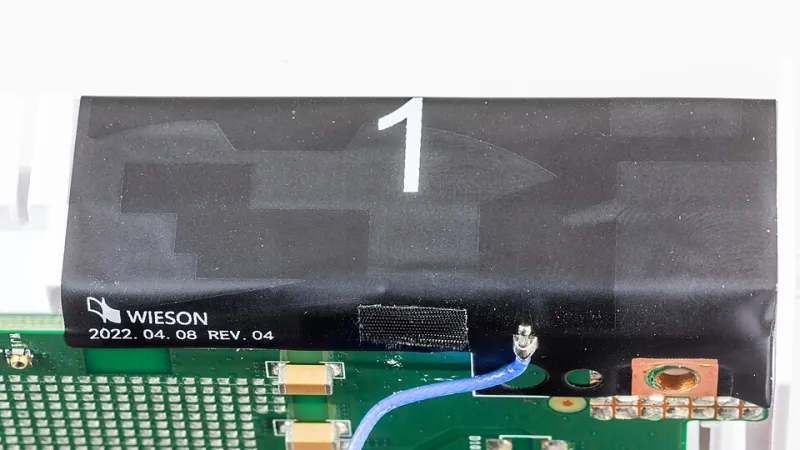
Photo: Raimond Spekking, CC BY-SA 4.0, via Wikimedia Commons
Design for the outage, not for the fantasy
A UK home office on Openreach FTTP is usually well served. The problem is not the average day; it is the morning when the ONT loses optical sync, the ISP queue is long, and a client call or a payroll run cannot wait for an engineer. A second fixed line is one answer, but it carries installation lead time, another monthly bill and another cable into the house. A 5G backstop is often the more practical second path, provided it is designed as a real failover link rather than a router left in a drawer with a prepaid SIM.
The design target should be modest and explicit. For most home offices, a recovery time of two to five minutes on the work VLAN is sufficient, with household traffic allowed to degrade. The 5G link does not need to match FTTP throughput. It needs enough capacity for voice, remote desktop, email and a business VPN, and it needs to be observable before it is needed.
Topology: bridge the modem, health-check the firewall
The cleanest arrangement is a firewall with two WAN interfaces. WAN1 is the Openreach FTTP service, terminated by the ONT and authenticated by the firewall over PPPoE where the ISP requires it. WAN2 is a 5G customer premises equipment router connected by Ethernet. Where the 5G router supports IP passthrough or bridge mode, use it. That keeps VPN termination, port forwarding and policy routing on the firewall. If the 5G router can only provide NAT, the failover still works for outbound traffic, but expect double NAT and plan for it: business VPNs may need NAT traversal, and inbound services will not survive the cutover.
Health checks matter more than the headline speed. The firewall should test the primary path against at least two targets, such as a public DNS resolver and an HTTP endpoint that returns a small known response. A single ICMP target can be blocked or can survive while routing is broken. Set a failback delay of ten to fifteen minutes so that a brief optical blip does not cause the network to flap between paths. If the firewall supports policy routing, send the work VLAN to WAN2 first during an outage and leave guest traffic on WAN1 until the primary returns.
Antenna placement and band locking
5G performance is largely a placement problem. Put the router or its external antenna high and near a window that faces the likely mast, away from metal frames, foil-backed insulation, radiators and dense brickwork. A Victorian terrace may need an upstairs window position rather than the cupboard under the stairs. Record reference signal received power and signal-to-noise ratio at several candidate positions before committing to a cable run. An external antenna is worth considering when indoor readings are marginal, but it is not a substitute for a survey.
Band locking is useful once the serving cell is understood. In the UK, n78 offers capacity at shorter range, while lower bands provide coverage. Locking to n78 can improve throughput where the signal is stable, but it can also remove the fallback that keeps the link alive during poor weather. Lock bands, not individual cells, and leave a sensible fallback set. Recheck after any mast work or SIM change.
Data caps, alarms and the cost of an outage
A 5G backstop is not a replacement for FTTP and should not be treated as one. Choose a SIM plan with a clear fair-use policy and enough monthly data for a working day of video calls and file access. Unlimited plans still have terms; metered plans are easier to reason about. Set usage alarms at seventy and ninety per cent of the allowance, using the router API, SNMP or the firewall's traffic accounting. Route backups and operating system updates away from WAN2, and consider throttling guest traffic during failover.
Test the path monthly. A five-minute cutover during a quiet period is cheaper than discovering a stale APN setting during a client meeting. Keep the 5G router firmware current, label the SIM and record the APN, and put the whole assembly on a small UPS if the office already protects the ONT and firewall.
Automatic or manual cutover?
Automatic cutover is the right default for a home office that cannot afford to wait. It removes the human delay and works outside office hours. The trade-off is cost and the risk of failing over to a metered link because of a brief upstream fault. A hybrid policy works well: automatic failover for the work VLAN, manual or delayed failover for the household, and a clear alert so that someone knows WAN2 is active. Manual cutover suits a lab or a cost-sensitive site, but it should be rehearsed, not assumed.
A realistic bill of materials
| Item | Example specification | Approximate UK cost |
|---|---|---|
| 5G router | Dual-SIM or Ethernet WAN, band locking, external antenna port | £250 to £450 |
| External antenna | Directional or omnidirectional with low-loss cable | £60 to £150 |
| SIM plan | 100GB to unlimited, business or high-use consumer | £20 to £35 per month |
| Firewall | Dual-WAN, policy routing, health checks | £200 to £600 |
| UPS | 500VA to 800VA for ONT, firewall and 5G router | £80 to £150 |
| Cabling and mounts | Cat6, window mount, cable ties | £20 to £40 |
The total is modest compared with a second leased line, and the components are reusable if the office moves. The important part is not the shopping list; it is the commissioning. Document the WAN order, the health-check targets, the failback delay and the alert recipients. A backstop that nobody has tested is just another router with a hopeful SIM.