Two Lines, One Cutover: Planning a Fibre Migration That Nobody Notices

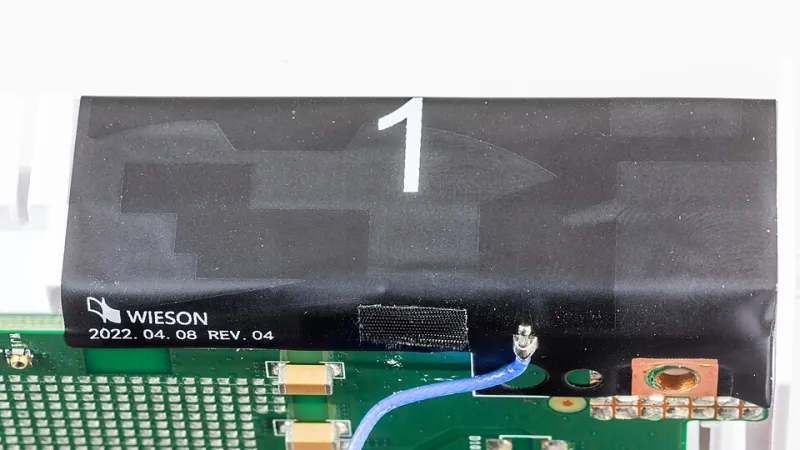
Photo: fibre optic termination point ONT wall mounted home network router, via s.yimg.com
Ofcom's One Touch Switch process, mandatory for residential fixed-line switches between different network providers since September 2024, has done what regulation does best: it moved the difficulty from the customer to the systems. You place an order with the gaining provider, they handle the rest, and you no longer need to speak to the losing provider at all. For a household with a router in a cupboard and nothing behind it, that is the entire story.
For anyone running services that other people, devices and scripts depend on, the process removes the administrative friction and none of the technical risk. A switch is still a WAN change: new authentication, possibly new encapsulation, almost certainly a new address, and a window in which inbound traffic has nowhere to go. The purpose of this runbook is to make that window short and, ideally, invisible.
What the process actually covers
Three points are worth being precise about, because each one shapes the plan.
First, One Touch Switch is a migration, not a parallel provision. It is designed to move a service, which means you should not assume the old line stays up until you are satisfied with the new one. Overlap is something you engineer separately, not something the process grants you.
Second, a landline number is not carried as part of the broadband switch. If the number matters — for an alarm panel, a fax, or a business line — that is a distinct request and needs to be raised separately and early.
Third, the switch happens on the provider's timescale, typically within one working day. Do not build a plan that depends on a specific cutover hour arriving when you asked for it.
Where an overlap window genuinely exists
Overlap requires two physically distinct access networks. Moving from one Openreach FTTP provider to another generally means one fibre drop, one ONT and one service. Assume no parallel running and plan for a short dark period. Moving from an altnet's own XGS-PON to Openreach FTTP, or from coaxial to fibre, gives you two bearers in the building for as long as you keep paying for both. That is the scenario worth spending money on: a month of double billing is cheaper than a day of downtime for anything that earns.
If you do have two bearers, do not cancel the old one until the new one has passed every check below. Keep the old router powered, cabled and ready to take over.
Capture the parameters before you order
Build a table before the order goes in, and do not accept the sales page as the source. You need the access technology, the WAN encapsulation (PPPoE, DHCP with option 61, or plain IPoE), the credentials if any, whether the WAN is VLAN-tagged and with what ID, the MTU and MRU, whether IPv4 is static or behind carrier-grade NAT, the IPv6 prefix delegation size and whether it is stable, the DNS resolvers, and whether you may use your own router at all.
The question that most often forces a rethink is the address. If the new provider offers only CGNAT on the residential tier, port forwarding is finished, and every inbound service — VPN, mail, a web front end, remote access to the lab — has to move to an alternative. Establish that before the contract, not on the morning of the switch. A static IPv4 address is usually a small monthly charge and occasionally a business-tier requirement.
Two weeks out: stage the configuration
Clone the running router configuration and build a second WAN profile, disabled, with the new provider's parameters. For PPPoE, set MTU to 1492 and expect to clamp MSS; for DHCP and IPoE, start at 1500 and verify with a don't-fragment ping to a known host, walking the packet size down until it passes. Store a copy of the working configuration on removable media and on a machine that is independent of the router itself.
Prepare the addressing side early. Reduce the TTL on the records that will change — only those — to 300 seconds at least a week before the switch. Point anything you host at a dynamic DNS name as an interim bridge, and check that the update client is not running on the very host whose address is changing.
Finally, arrange monitoring that does not depend on the line you are replacing. An external probe that tests your public endpoint from outside, plus a second probe running over a mobile connection, will tell you the moment service is restored. A ping from inside the house tells you nothing.
The cutover sequence
Confirm the bearer first. Before touching the router, connect a laptop directly to the new ONT or modem and bring up the session: PPPoE dial or DHCP lease, address, default route, DNS. Verify throughput and latency, and check IPv6 if you are using it.
Move the WAN profile. Activate the staged profile. If you have an overlap window, leave the old WAN configured but not default-routed, so rollback is a single change rather than a rebuild.
Restore the edge policy. Reapply firewall rules, NAT entries and port forwards from your documented table. Work from the table, not from memory; the rule you forget is invariably the one that matters.
Update the outside world. Push DNS changes and watch the old TTL expire. Re-point any VPN endpoints, update the configuration files on client devices, and check that certificates which renew over HTTP validation can still be reached.
Prove it. Let monitoring run for a full day. Confirm the offsite backup job completes, that scheduled certificate renewals will succeed, and that inbound mail — if you run any — is flowing.
Keeping the dark window brief
Where there is no overlap, the window is the interval between the switch completing and your own service returning, and it is entirely under your control. A pre-staged configuration and a spare router reduce it to minutes. A mobile hotspot with a data SIM keeps DNS, mail and management access alive for the household while you work, and is worth having charged and tested in advance.
One note on compensation: Ofcom's automatic compensation scheme covers delayed repairs and missed appointments, not configuration errors on your side of the demarcation. The provider's obligation ends at the port.
After the switch
Confirm that billing has stopped on the old account, return any rented hardware, and keep your own old router for a month as a fallback. Recheck the firewall rules you recreated — a fresh rule set is a good opportunity to find the one that was too permissive — and update the runbook with what actually happened rather than what you planned. The next migration will be easier for it.